PubMed is a powerful tool for clinicians, researchers, and students to find reliable and up-to-date biomedical literature. Here’s a step-by-step guide to effectively using PubMed for clinical research.
PubMed, hosted by the National Library of Medicine, provides access to millions of biomedical and life sciences articles. It’s essential for finding:
- Peer-reviewed articles
- Clinical guidelines
- Case studies
- Systematic reviews and meta-analyses
Access PubMed
Navigate to Pubmed. No subscription is needed, but access to full-text articles may require institutional credentials or open access availability.
Start with a basic search
Type your keywords into the search bar. For example:
For a specific condition: diabetes management in children.
Use natural language for simplicity, and PubMed will automatically map terms to Medical Subject Headings (MeSH).

Use MeSH terms for precision
MeSH terms are standardized keywords used to index articles. To use them:
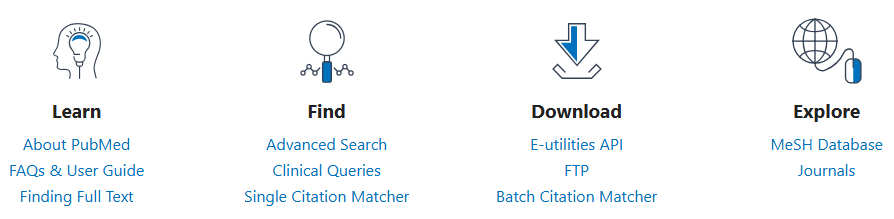
- Go to the MeSH Database in PubMed.
- Search for a term (e.g., “hypertension“).
- Select related subcategories to narrow results (e.g., “drug therapy” or “prevention“).
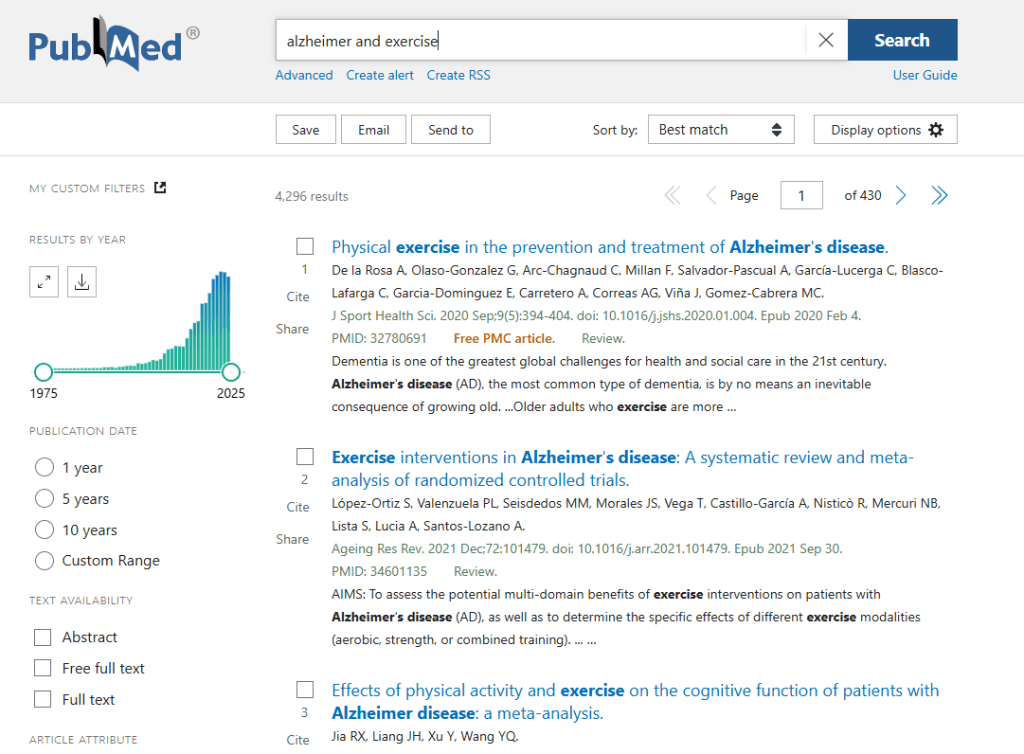
Apply filters to refine your results
PubMed has numerous filters to make your search more precise:
- Article types: Clinical trials, reviews, systematic reviews, etc.
- Publication dates: For recent research, limit results to the past 5 or 10 years.
- Age groups: Focus on pediatric or geriatric populations.
- Text availability: Choose “Free full text” if you lack institutional access.
Here’s an example:
Use boolean operators for complex queries
Combine keywords and refine searches with Boolean logic:
- AND: Include all terms (e.g., “diabetes AND hypertension”).
- OR: Include either term (e.g., “diabetes OR hyperglycemia”).
- NOT: Exclude terms (e.g., “diabetes NOT type 1”).
- Use parentheses for nesting: (hypertension OR “high blood pressure”) AND “drug therapy”.
Save and manage results
Save citations: Use the “Save” or “Send to” features for reference managers like EndNote or Zotero.
Create alerts: Sign up for a free MyNCBI account to receive email updates on new research matching your query.
Review abstracts and full-text articles
Abstracts provide a quick overview of relevance.Use institutional access, open-access links, or request the article via interlibrary loan for full-text access.
Explore related articles
PubMed’s “Similar Articles” feature is a valuable tool for discovering studies related to your search.
By applying these strategies, you can unlock the full potential of PubMed, ensuring that your clinical research is both efficient and evidence-based, ultimately leading to better-informed decisions and improved patient outcomes.
 UNLOCK YOUR POTENTIAL
Leave a comment